Minecraft MinePix - Armor Stand Editor for Creator Donators
🛠️ New Feature for Creator Donators on MinePix
We’re happy to introduce a new exclusive feature on the MinePix Minecraft server!
As a thank you for supporting the server, players with the Creator donor rank can now edit armor stand poses directly in-game.
This feature gives builders and decorators more freedom to create detailed scenes, interiors, and atmospheric builds.
How to use the Armor Stand Editor
Place an armor stand
Sneak (Shift) and right-click on it or Look at the armor stand and use the command: /armorstand
A convenient editing menu will open, allowing you to adjust the position of the head, arms, body, and other parts of the armor stand.
Why this feature is useful
- Detailed decoration for buildings and interiors
- Creating scenes and roleplay locations
- Decorating event areas and custom maps
- Improving the overall atmosphere of the server
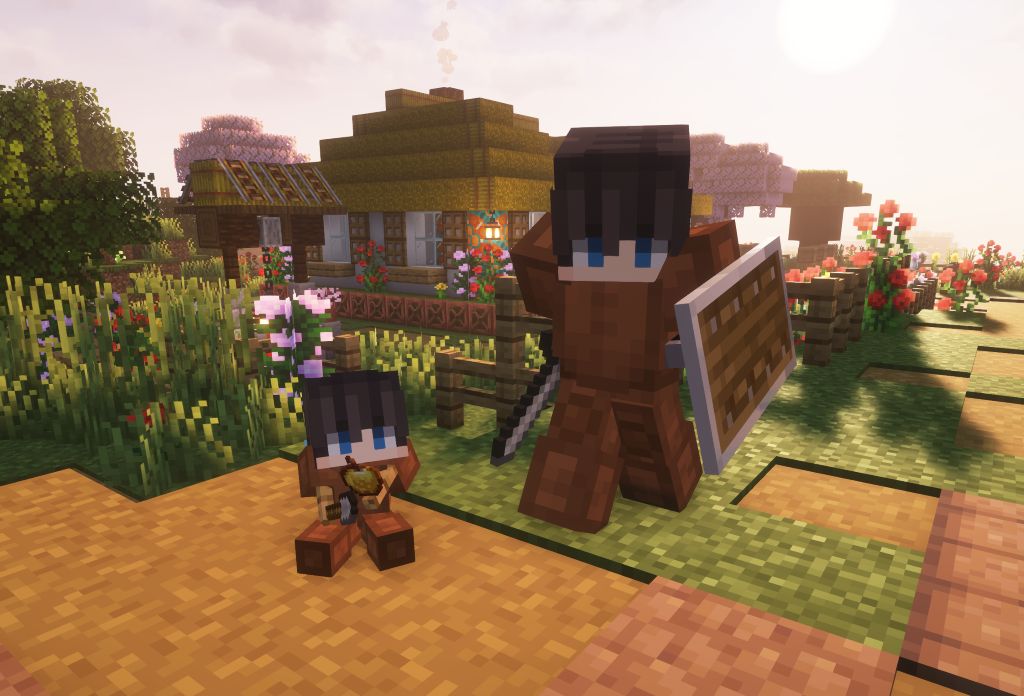
You can see examples of edited armor stands in the image attached to this post.
Your support helps us develop the server and add new creative features for our community.
Сподобалася стаття?
Поділіться нею з друзями!
Вас може зацікавити

Ми перейшли на нову версію Minecraft 1.21.11 — нові моби, зброя та механіки вже на сервері.

Привітання від команди MinePix з Різдвом Христовим.

Час на будівництво добігає кінця - термін здачі робіт сьогодні та завтра.